
Plus AI
Adds AI presentation generation and editing directly inside Google Slides and PowerPoint.
PaidFree trialWeb
Last verified Jul 11, 2026
Adds AI presentation generation and editing directly inside Google Slides and PowerPoint.
Last verified Jul 11, 2026
Fast-read signals for fit, pricing, and trust.
Plus AI is a presentation tool that generates and edits slides directly inside Google Slides and PowerPoint, turning text or documents into decks without leaving those apps. It is aimed at professionals who already work in Slides or PowerPoint and want AI without switching tools. Native integration with both apps is its defining feature. It drafts and reformats slides; content accuracy and final design still need your review.
You work inside Google Slides or PowerPoint and it generates a deck from a prompt or document, edits and reformats slides, and adds AI images and charts, with custom branding — all within the app you already use rather than a separate editor.
It suits professionals and teams committed to Slides or PowerPoint who want AI generation and editing layered onto their existing workflow.
Generated copy follows your prompt and source, so figures and claims need checking, and brand-exact polish can still take a manual pass even with branding options.
Quick fit check against how you actually work.
What you can actually do with this tool.
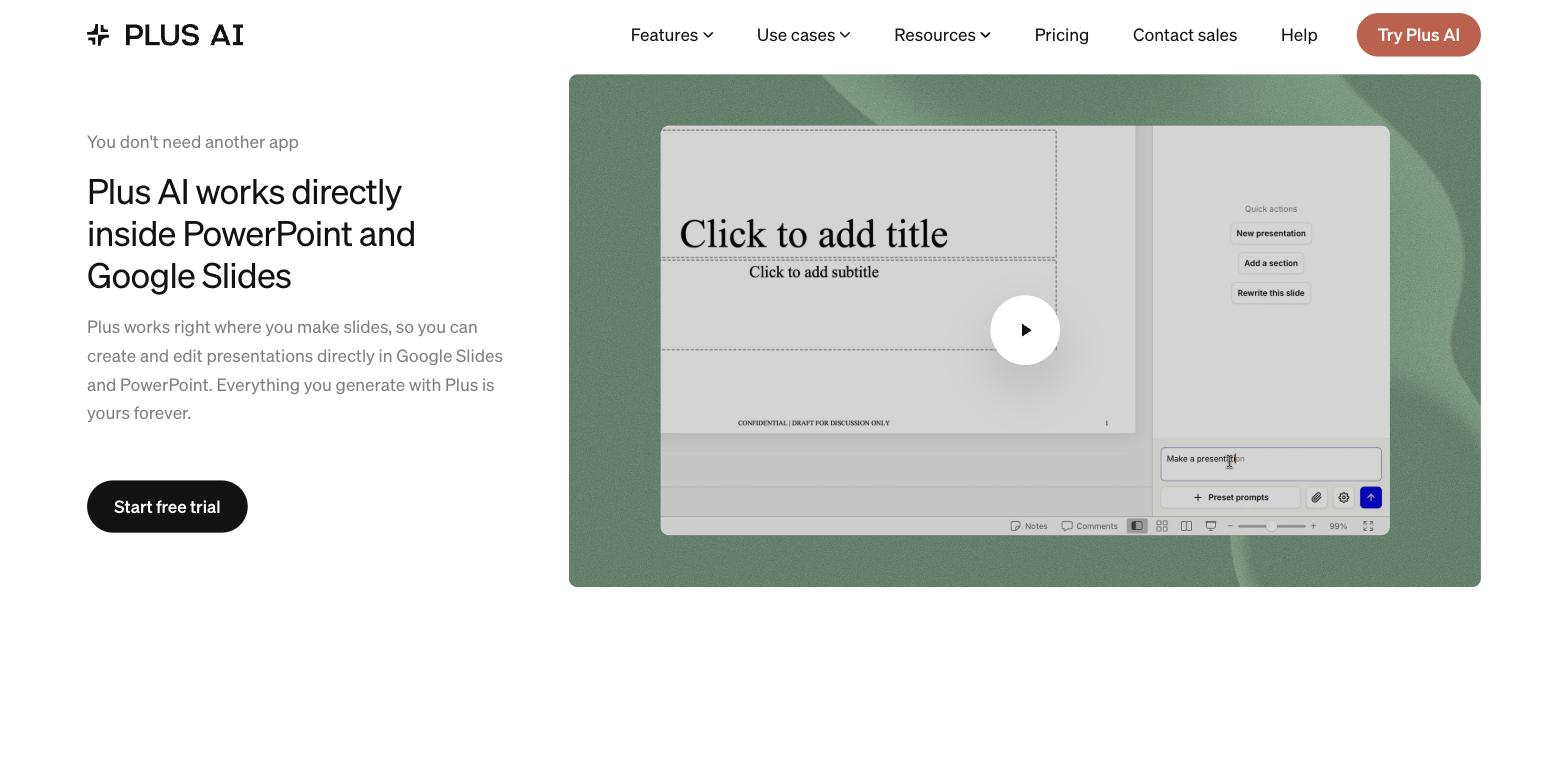
Generates decks inside Google Slides and PowerPoint, so there's no separate tool to switch to.
Turns text or documents into a structured deck.
Edits and reformats existing slides with AI assistance.
Adds AI images and charts within the deck.
Applies branding options to keep decks on style.
Offers designer templates to customise.
Pricing tiers and what's included in each.
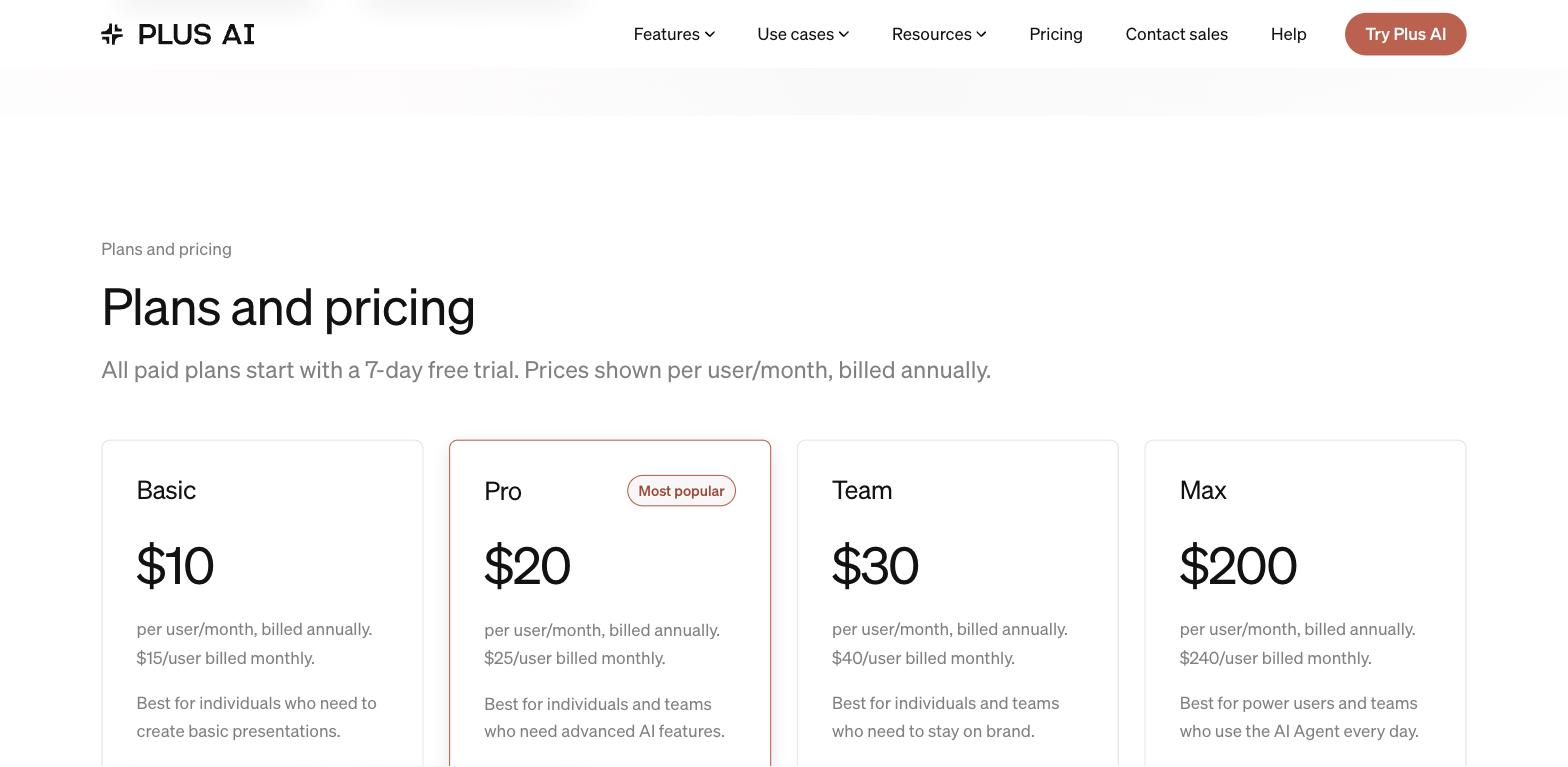
Plus AI starts at $10/user/month on annual billing. Basic ($10/mo annual) works inside Google Slides and PowerPoint. Pro ($20/mo annual) adds document uploads and AI image generation. Team ($30/mo annual) adds brand customization. Max ($200/mo annual) gives unlimited credits. A 7-day free trial is available.
A short path to first value.
Plus AI presentation maker - Create presentations using AI
Common questions about this tool, answered.
Yes — it works within Google Slides and PowerPoint, so decks stay in the files you already share.
Branding options help, but brand-exact spacing, fonts, and custom visuals may still need a manual pass before an external deck.
Yes — copy follows your prompt and source, so confirm figures and claims before presenting.
No — its strength is living inside Slides and PowerPoint, so a standalone web tool is a different fit.
Context for choosing between this tool and alternatives.
If you work inside Google Slides or PowerPoint, Plus AI fits there directly, whereas Decktopus and Presentations.AI are standalone generators and Beautiful.ai a design-automation app. Compare on whether staying in your existing slide app or a separate tool matters most.
Other tools that show up for the same kind of work.
Beautiful.ai
Paid
Decktopus
Paid
SlidesAI
Freemium
SlideSpeak
Freemium