
Decktopus
Builds editable presentations from a prompt and coaches how you'll deliver them.
PaidWeb
Last verified Jul 9, 2026
Builds editable presentations from a prompt and coaches how you'll deliver them.
Last verified Jul 9, 2026
Fast-read signals for fit, pricing, and trust.
Decktopus is an AI presentation maker that turns a topic or document into a structured, editable deck with layouts, copy, and visuals filled in. It is aimed at solo professionals, marketers, and educators who want a presentable draft fast without designing from scratch. A presenter coach and interactive forms set it apart from a plain slide generator. It produces a strong draft you refine, not a finished, brand-exact deck.
You give it a topic or upload a document and it generates a full deck — structure, copy, and matching visuals — inside a drag-and-drop editor where every element stays editable. Layouts adapt as you add content, and it can turn a PDF into a presentation rather than starting blank.
It suits solo professionals, consultants, marketers, and teachers who need a clear deck quickly and value guidance over pixel-level control. It works at the drafting stage; many users polish further before a high-stakes talk.
Because it automates structure and design choices, brand-exact styling and complex custom visuals can still need manual work, and generated copy should be checked against your own facts.
Quick fit check against how you actually work.


What you can actually do with this tool.
Turns a prompt or document into a structured deck with copy, layouts, and visuals, so you start from a draft rather than a blank file.
Keeps every generated element editable in a simple editor, so adjusting text, layout, and images needs no design skills.
Offers guidance on how to deliver the deck, which helps when the talk matters as much as the slides.
Adds forms inside a deck to collect responses, useful for lead capture or feedback during or after a session.
Converts an existing PDF into an editable deck, so source material becomes slides without a rebuild.
Adjusts layout as content changes, keeping slides tidy without manual realignment each time.
Pricing tiers and what's included in each.
Decktopus has no free plan. The Pro plan is $14.99/month billed annually ($179.99/year). The Business plan is $34.99/user/month billed annually ($419.99/user/year), adding custom domain connection, slide analytics, webhooks, and team organization. Enterprise pricing is custom via sales and includes full corporate branding and custom templates. A 50% student discount is available. Verified from decktopus.com/pricing on 2026-07-09.
A short path to first value.
Common questions about this tool, answered.
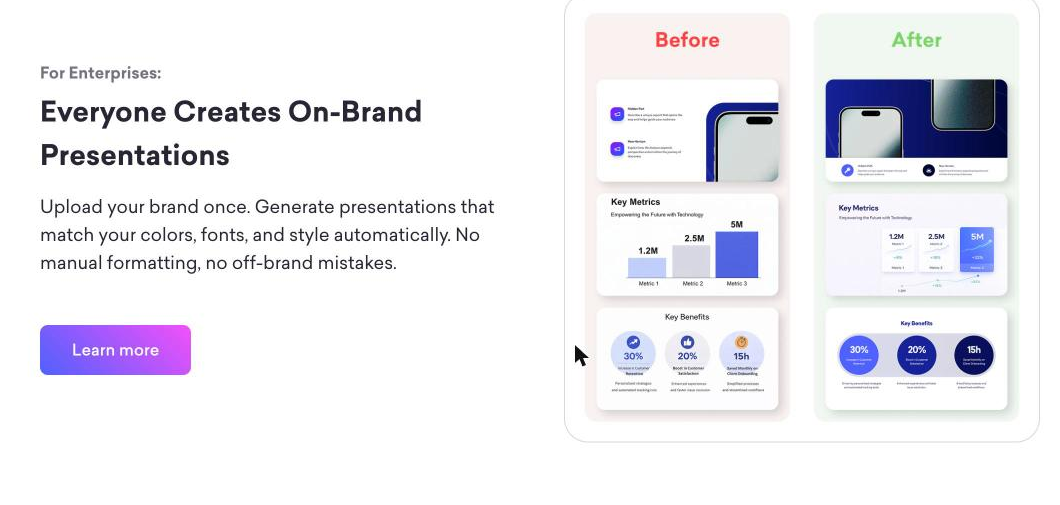
They follow clean default styling, so brand-exact colours, fonts, and spacing may need manual adjustment before an external or high-stakes presentation.
Treat it as a draft: it structures and phrases the deck well, but facts and figures should be checked against your own sources before presenting.
It fits individuals and small teams who value speed and delivery coaching; design-led teams needing control over every element may find it limiting.
You refine it in the editor, optionally add forms, prepare with the coach, then export — it's a starting point, not the final word.
Context for choosing between this tool and alternatives.
Where Decktopus fits versus other deck tools comes down to guidance versus design control: it leans toward fast, coached drafts for individuals. For richer visual design and templates, Tome or Presentations.AI cover more of the design side; data-heavy decks built from spreadsheets suit a different approach. Compare on whether your bottleneck is building the draft or perfecting the design.
Other tools that show up for the same kind of work.