
SellerPic
Produces ecommerce product photos and shoppable videos with AI models, try-on, and editing.
FreemiumFree planWeb
Last verified Jun 30, 2026
Produces ecommerce product photos and shoppable videos with AI models, try-on, and editing.
Last verified Jun 30, 2026
Fast-read signals for fit, pricing, and trust.
SellerPic is an AI product-imagery tool that generates ecommerce photos, model shots, and shoppable videos from your product images. It is aimed at online sellers and brands that need studio-quality visuals without the cost and turnaround of a traditional shoot. It covers product enhancement, virtual try-on, UGC video, and background work. Outputs are commerce visuals to review, not a substitute for art direction on hero campaigns.
You start from a product image and it generates the assets a listing needs — enhanced product shots, AI models wearing or holding the item, virtual try-on, background replacement, and short UGC-style videos — formatted for the channels you sell on. The workflow replaces sourcing studios, models, and props with a few steps inside one platform.
The users are ecommerce sellers and brands, especially in apparel and consumer goods, who need a steady stream of on-channel visuals and can't run a photoshoot for every product or variant. It works at the asset-production step, feeding listings and ad platforms.
The honest edge: it produces commerce-ready visuals quickly, but hero campaigns and brand-defining imagery still benefit from human art direction, and generated models and try-ons need a review for fit and accuracy.
Quick fit check against how you actually work.

What you can actually do with this tool.
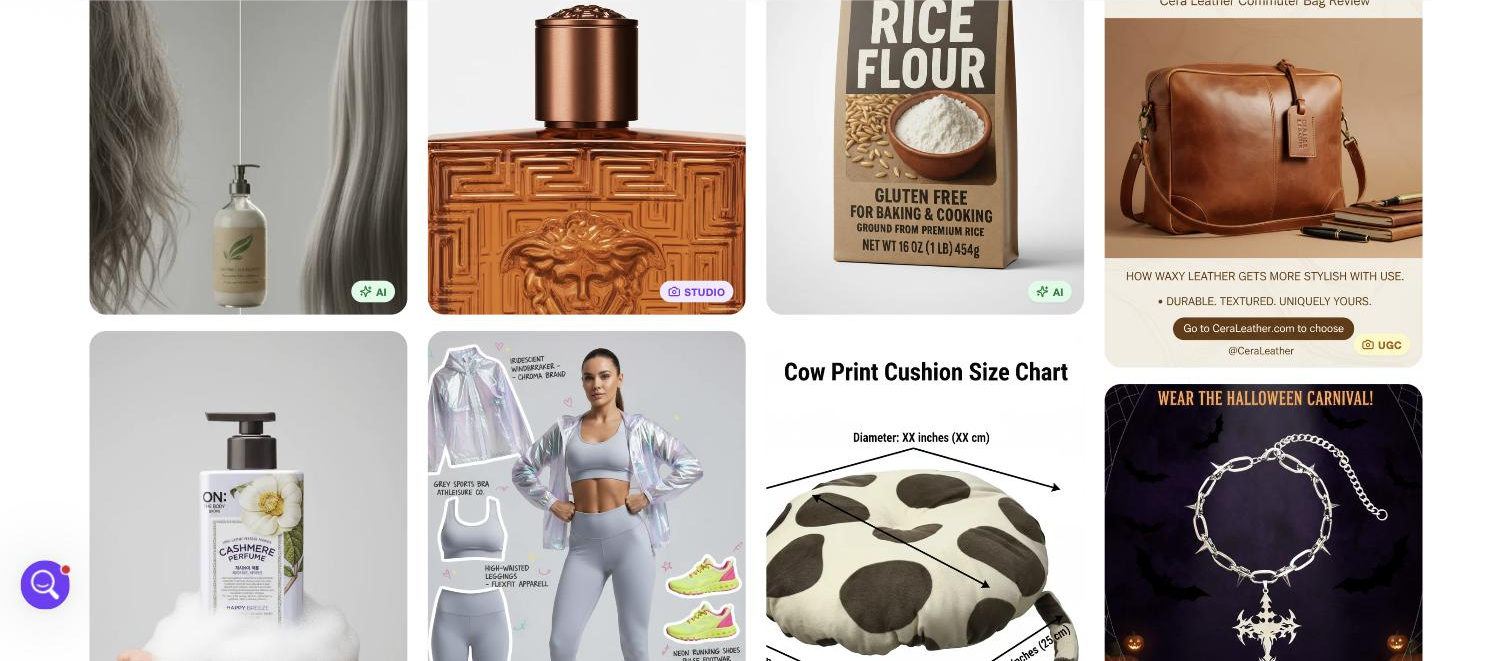
Generates images of AI models wearing or presenting your product, replacing a model-and-studio shoot for on-model visuals.
Improves raw product images into cleaner, listing-ready shots without manual retouching for every photo.
Shows apparel and accessories on models, so shoppers see fit without you running a physical sample shoot.
Creates short UGC-style product videos for listings and social channels alongside the still imagery.
Replaces or removes backgrounds to place a product in the setting a listing or ad needs.
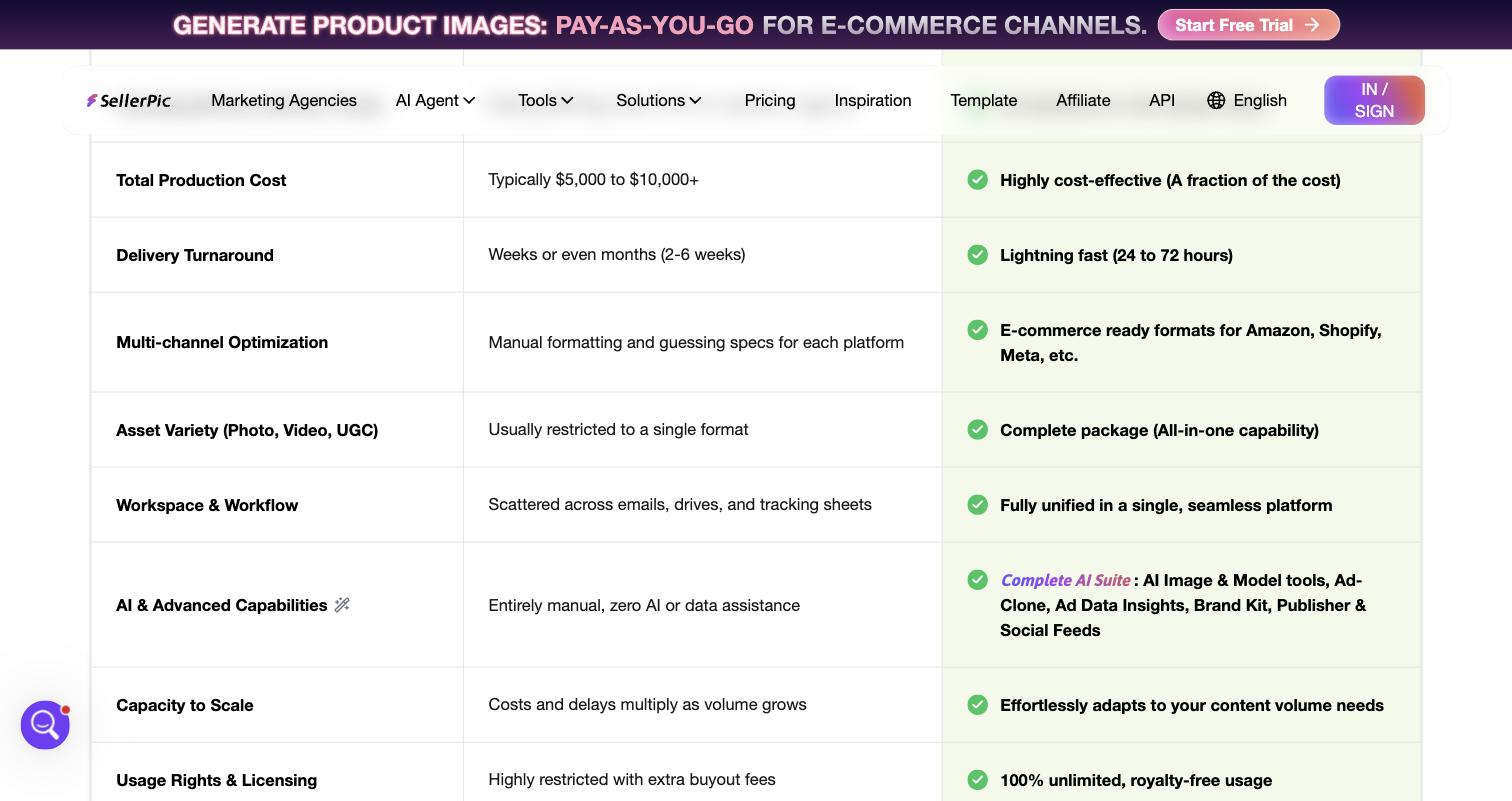
Outputs assets sized for Amazon, Shopify, Meta, and other channels, so you skip manual reformatting per placement.
Pricing tiers and what's included in each.
Free plan available. Check the official pricing page for current paid-plan pricing.
A short path to first value.
on an AI model.
background for the right setting.
of your sales channels.
accuracy before publishing.
AI Jewelry Photography: Create Stunning Product Images
Common questions about this tool, answered.
Yes — generated models and try-on results should be reviewed for fit, accuracy, and brand suitability before a listing, since they are produced rather than photographed.
Output comes in formats aimed at Amazon, Shopify, Meta, and similar channels, so a team avoids reformatting the same asset for every placement by hand.
For catalogue-scale product and model visuals it removes much of the studio cost and turnaround; hero campaigns and brand-defining imagery still benefit from human art direction.
Apparel and accessories fit closely thanks to virtual try-on and model shots, though enhancement and video apply to consumer goods more broadly.
Context for choosing between this tool and alternatives.
The decision is breadth of commerce visuals versus a single focused job. SellerPic suits sellers wanting model shots, try-on, and video from product images in one place. If you only need background removal or upscaling, a focused image tool is lighter; for art-directed brand work, a photographer still wins. Choose by whether you need a full commerce-imagery toolkit or one specific fix at volume.
Other tools that show up for the same kind of work.
Pixelcut
Freemium