
Enterpret
Unifies customer feedback across channels and ties it to churn, retention, and product demand.
EnterpriseWeb
Last verified Jun 30, 2026
Unifies customer feedback across channels and ties it to churn, retention, and product demand.
Last verified Jun 30, 2026
Fast-read signals for fit, pricing, and trust.
Enterpret is a customer-intelligence platform that turns scattered feedback into a structured, queryable system. It connects support tickets, sales conversations, surveys, and reviews, organizes them into themes that adapt as the product changes, and ties each signal to the customer, feature, and business impact. It is aimed at product and CX teams at larger companies that have more feedback than anyone can read. It is infrastructure, not a survey tool.
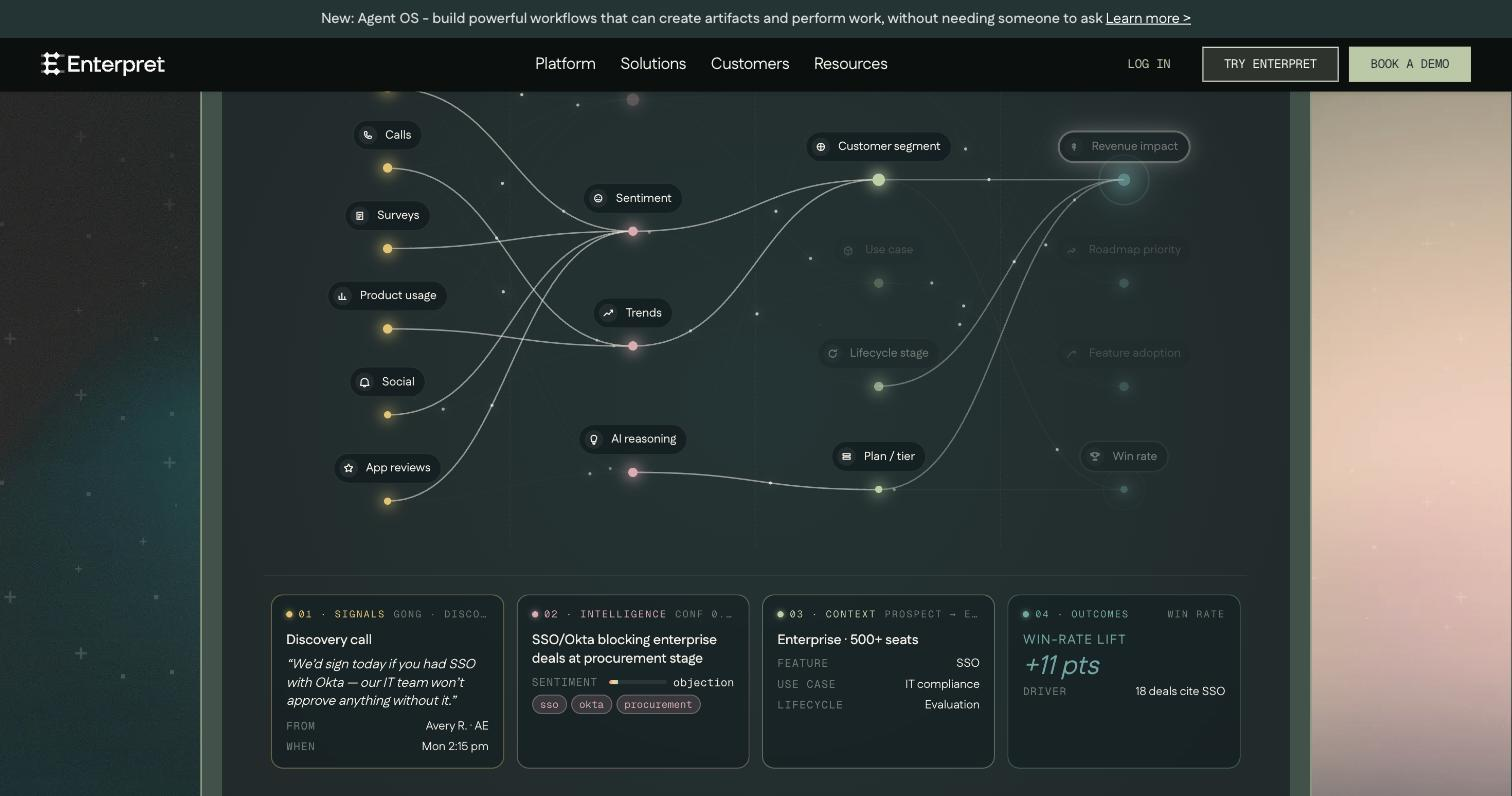
It connects the channels feedback already arrives on — support tickets, sales calls, surveys, public reviews — and organizes the raw signals into themes that adjust as the product evolves, with each signal tagged by who said it, which feature it touches, and the revenue or retention behind it. The result is a queryable view where a theme carries weight, not just a mention count.
It is built for product, support, and CX teams at companies where feedback outpaces anyone's ability to read it, and where those teams need one shared, evidence-backed picture. It spans the feedback sources and feeds decisions, tickets, and alerts back into the tools teams already run.
The scope boundary: this is infrastructure with contact-sales pricing, sized for real volume — a small team wanting a quick widget will find it heavier than the job calls for.
Quick fit check against how you actually work.
What you can actually do with this tool.
Pulls signals from support tickets, sales conversations, surveys, and public reviews into one organised place, so teams analyse one set rather than separate silos.
Sorts feedback into themes that evolve as the product changes, so answers stay consistent instead of shifting every time someone re-categorises by hand.
Ties each piece of feedback to the customer who said it, the feature it touches, and how much it matters, so a theme carries real business weight.
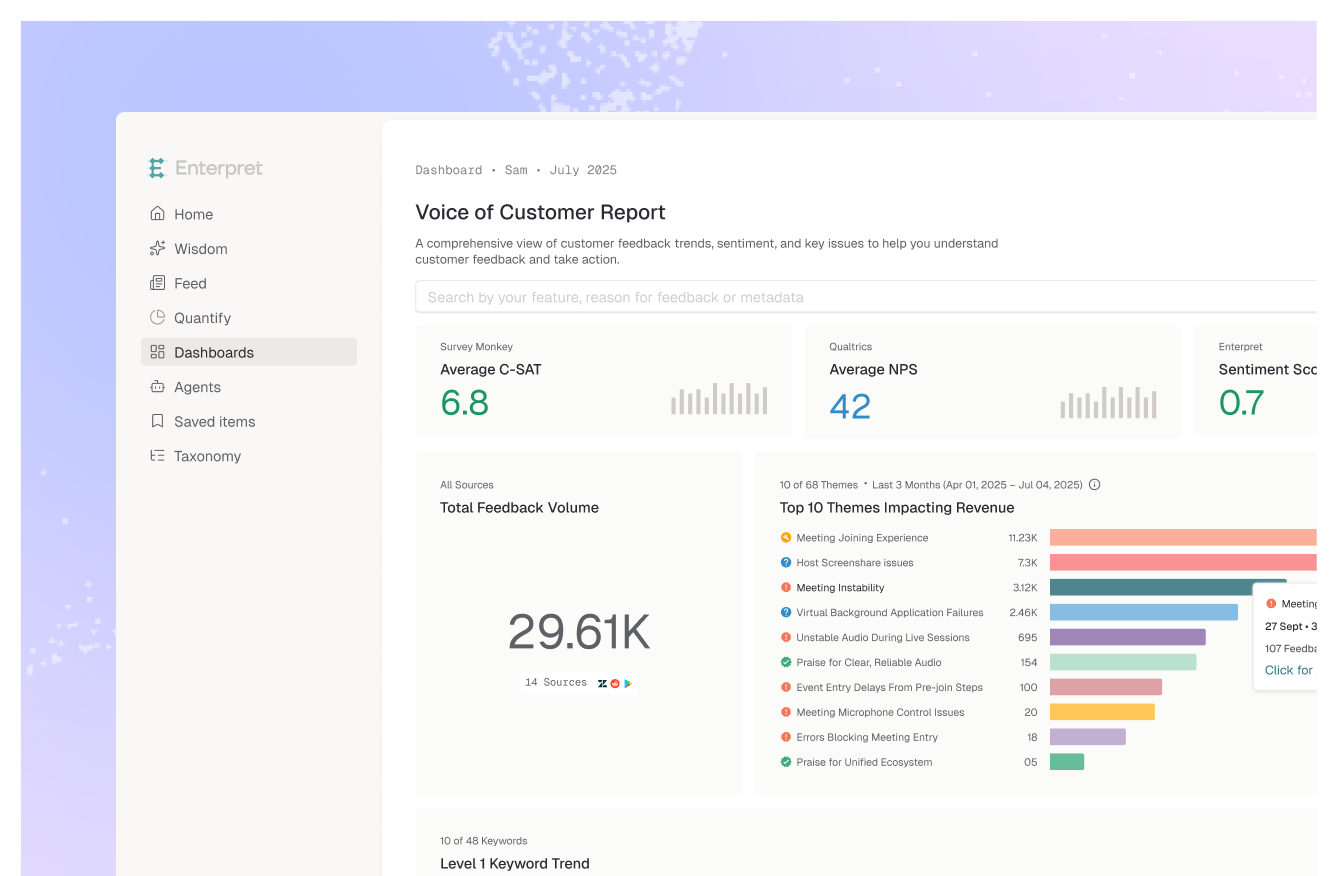
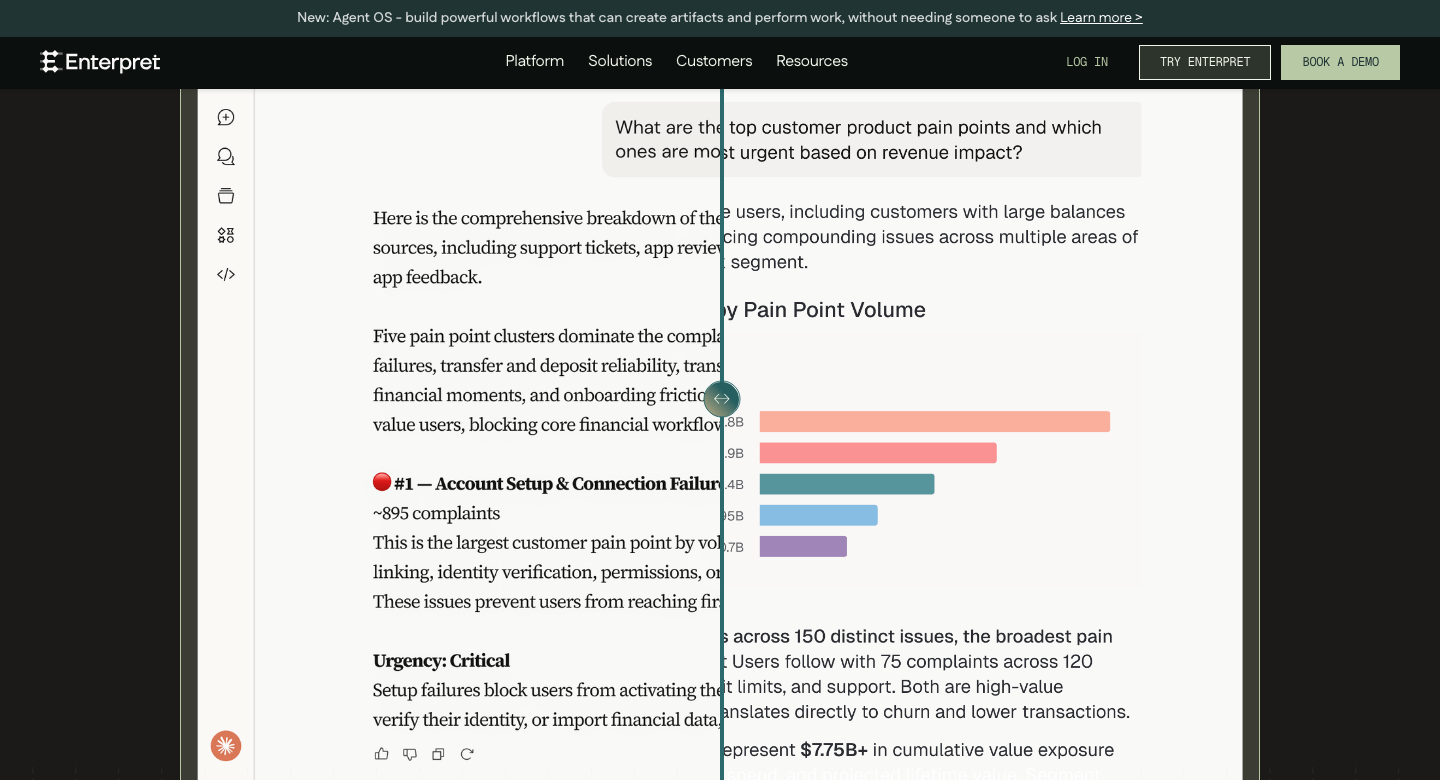
Surfaces what is driving churn, ticket volume, and feature demand, so product and CX teams can prioritise from evidence rather than the loudest request.
Creates tickets and alerts directly from a finding and tracks what changed afterward, connecting an insight to the team's existing process.
Gives product, support, sales, and market views of the same signals, so everyone works from one shared picture of the customer.
Pricing tiers and what's included in each.
Pricing is available on request.
A short path to first value.
so feedback flows in from every channel automatically.
themes that stay consistent over time.
churn, ticket volume, and feature demand.
and the revenue at stake behind it.
so the insight reaches the right team.
volume to retention, to confirm what worked.
Common questions about this tool, answered.
It is sized to find signal in large amounts of feedback, so it suits teams already collecting a high volume across channels; a team with little feedback won't have enough for the themes and revenue links to mean much.
Because it organizes feedback you already collect rather than asking you to gather new data, teams typically start seeing themes once their existing sources are connected, though tuning the taxonomy to a product takes some iteration.
Findings can become tickets and alerts routed to the relevant team, so product, support, or revenue owns the follow-up while the platform keeps the evidence and tracks what changed.
No — it structures and prioritizes the feedback signals you receive, which complements direct research rather than substituting for talking to customers.
Context for choosing between this tool and alternatives.
The line to weigh is scale and breadth. Choose it when feedback volume is high and you need signals linked to revenue across several teams. For a narrower job — analysing reviews, surveys, or support text from one channel — Chattermill, Idiomatic, or Thematic are lighter analysers worth a look. Larger product organizations tend to need the full platform and its context graph; a single team studying one source often does well with a focused analyser.